Sick of unskippable ads on your smart TV? Discover how the Smart YouTube TV APK unlocks an ad free, 4K viewing experience with built-in sponsor skipping.

SmartTube v32.47 MOD APK (AdFree, MOD)
| Name | Smart YouTube TV (Android TV) |
|---|---|
| Publisher | Smart YouTube TV |
| Genre | Entertainment |
| Size | 33M |
| Version | v32.47 |
| MOD | AdFree, MOD |
| Get it On |  |
The default video app on your smart TV is an absolute nightmare. You finally sit down on the couch, grab the remote, and instantly get hit with double unskippable commercials just to watch a five-minute cooking tutorial. It is painfully slow, it constantly lags on older streaming sticks, and the interface feels totally outdated.
If you are sick of fighting with your Fire TV or Android box, you need to sideload the Smart YouTube TV APK immediately. It essentially gives you a premium, ad-free streaming experience without the ridiculous monthly subscription fee.
Here is exactly why this custom app will completely upgrade your living room setup.
TOTAL AD BLOCKING AND SPONSOR SKIPPING
We already know this app aggressively blocks those annoying pre-roll commercials. But it goes a massive step further by integrating SponsorBlock directly into the video player. When a creator randomly stops the video to spend two minutes talking about a custom wallet or a meal kit, the app automatically skips right over that segment. You just get pure, uninterrupted content from start to finish.
LIGHTNING FAST WITH ZERO GOOGLE BLOAT
Official smart TV apps are notoriously heavy. They constantly rely on background tracking services that chew up your device’s limited memory. This custom build entirely ditches that dependency. The result? It runs insanely fast. Even if you are using a cheap, outdated Android box from five years ago, the user interface is buttery smooth with absolutely zero menu lag.
FLAWLESS 4K PLAYBACK AND BACKGROUND AUDIO
Stop settling for downscaled, blurry videos just because your device is struggling to buffer. As long as your television and internet connection can handle it, this app forces pristine 4K, UHD, and QHD resolutions. It also packs a brilliant background playback feature. You can force the app to only stream the audio track, which is absolutely perfect if you just want to blast a long podcast or a music playlist through your soundbar without keeping the screen heavily active.
HOW TO GET IT RUNNING ON YOUR TELEVISION
Sideloading sounds complicated, but it actually takes about three minutes.
Grab your TV remote, head into your Settings, find the Security menu, and toggle on “Unknown Sources.”
Download the modified APK file directly to your smartphone or laptop.
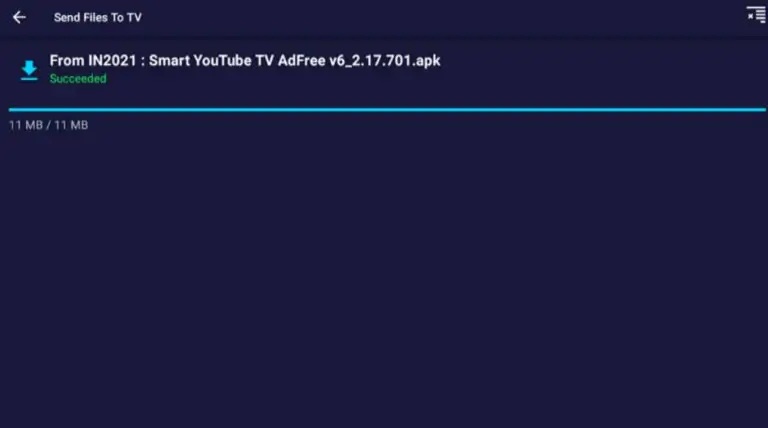
Use a wireless transfer tool like the “Send Files to TV” app or just basic Bluetooth to shoot the file straight over to your television or Fire Stick.
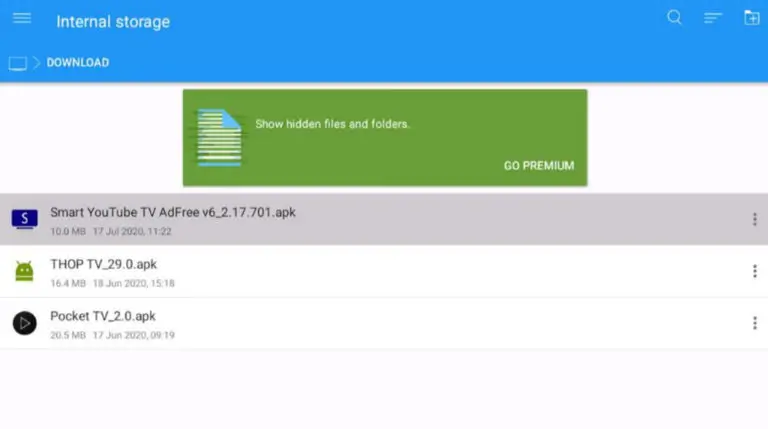
Open up a file manager on your smart TV (File Commander works perfectly for this), locate the transferred APK, and hit install.
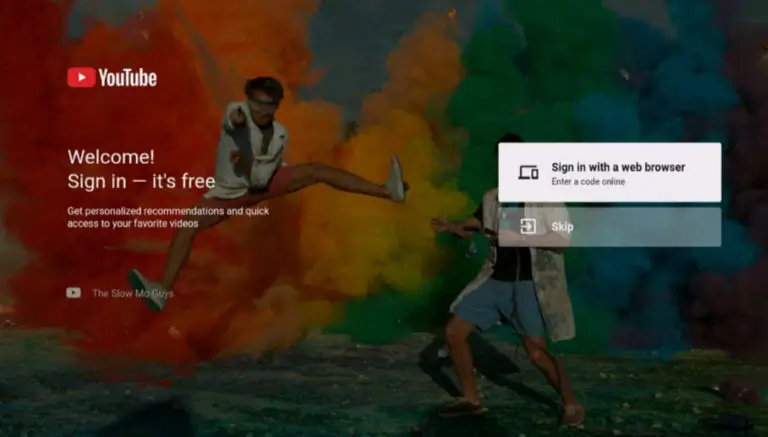
Open the brand-new app. You can either link your account using the activation code on your phone, or simply skip the login screen entirely to keep your viewing habits totally private.
Download SmartTube v32.47 MOD APK (AdFree, MOD)
Download (33M)You are now ready to download Smart YouTube TV (Android TV) for free. Here are some notes:
- To prevent users from installing apk files from outside, Google Play has now added a warning when installing apks & mods. PlayProtect will tell you the file is harmful. Simply, just click “Install anyway (unsafe)”.